

ConverterLite 1.6
Simple and free audio and video conversion tool for all the most common formats
Program info
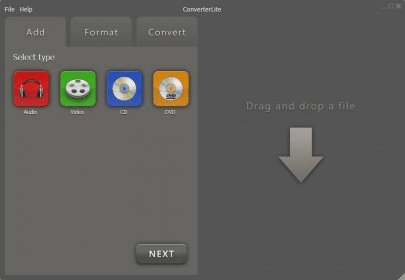
ConverterLite has been clearly designed to allow all kinds of users to convert their video and audio files between formats in the simplest way possible. The same philosophy applies to its CD and DVD ripping processes, and to any other functionality present in its minimalist and attractive interface. This is a free and efficient tool worth to be installed on your PC.
This simple and straightforward utility allows you to drop any number of input files directly into the program’s interface to build your conversion list. It offers support for many more video and audio codecs than those you can read in the program’s website. According to it, its audio re-encoding capabilities seem to be limited to MP3, AC3, Ogg, and WAV files, while MPEG, AVI, FLV, and MOV seem to be the only video codecs supported. Actually, if you browse through the colorful icons in the Format tab you will come across nice surprises, such as FLAC, AC3, or M4R (for ringtones). Other video and audio codecs are “hidden” behind the devices that use them, making it very simple for all kinds of users to select the right format for their favorite device.
ConverterLite produces excellent results at more than reasonable speeds. This is not a tool for those who like playing with parameters and settings (unlike you are an FFmpeg expert and know how to use its multiple arguments), but a clear and simple tool for those looking for straightforward, high-quality conversions with just the right amount of intervention from the user’s side.
Pros
- Supports a wide range of smartphones, portable devices, and consoles
- You can combine audio conversion and extraction in one single operation
- Supports batch conversion
- Attractive and simple interface
Cons
- You need to know how to use FFmpeg arguments to customize the existing profiles
Details
Extensions

No information available
The data will be available later.



Comments